This article contains the following content:
1. Adding Address
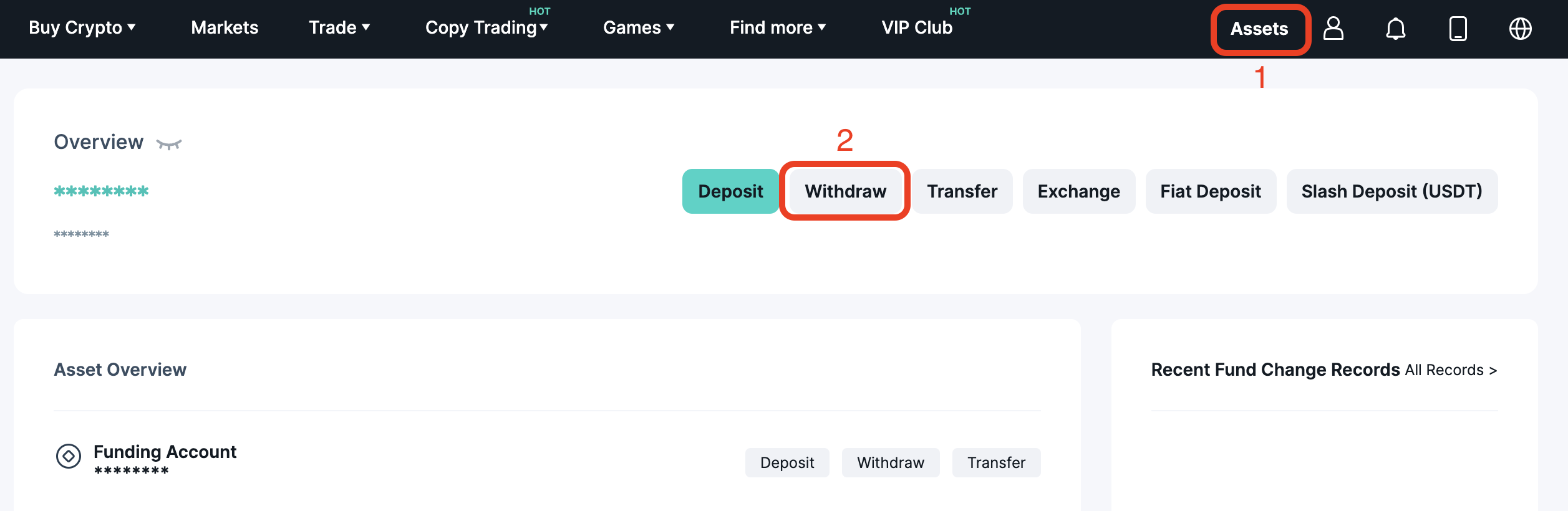
1. Click on "Withdraw" on the asset screen.
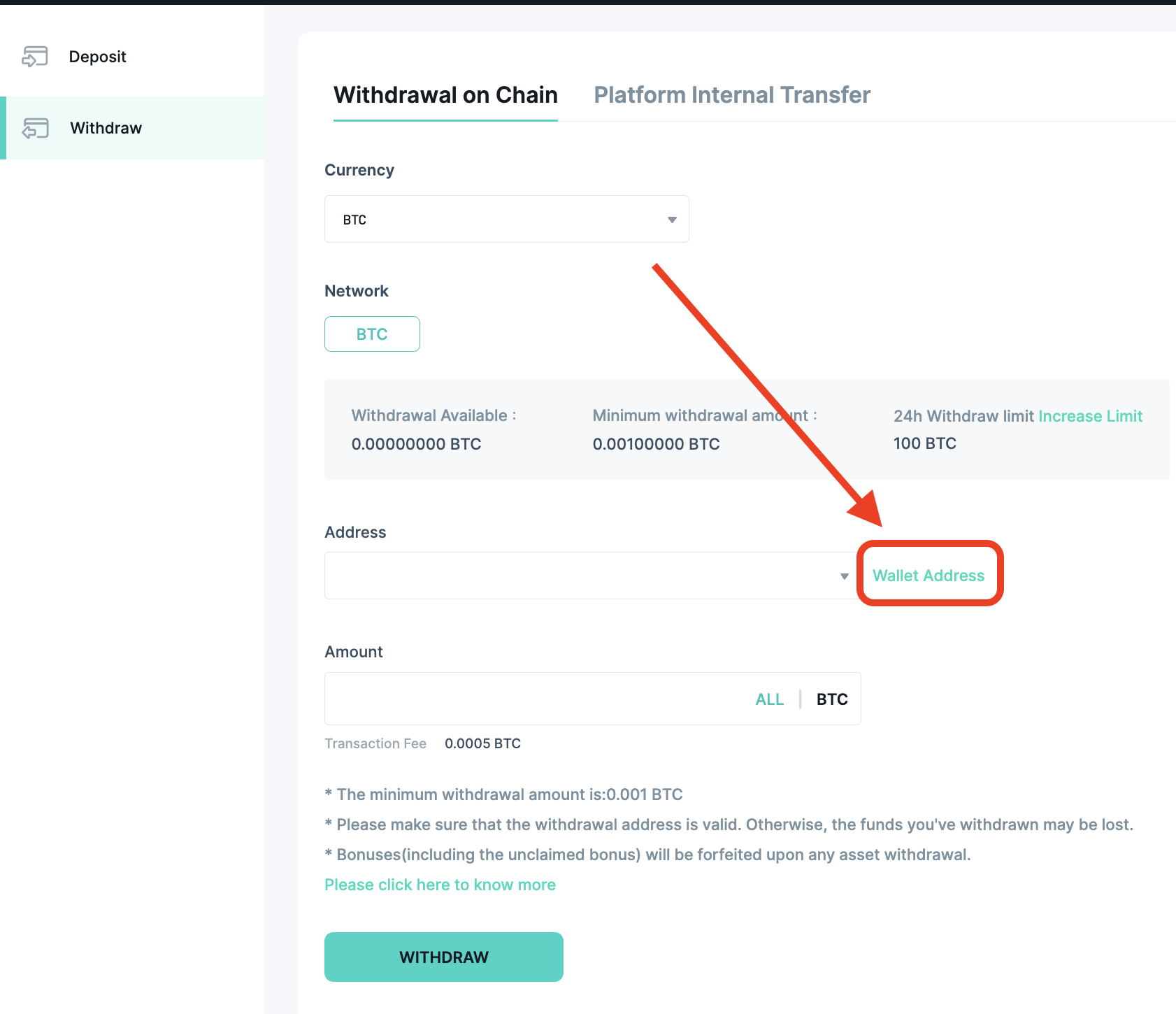
2. On the withdrawal screen, click "Wallet Address".
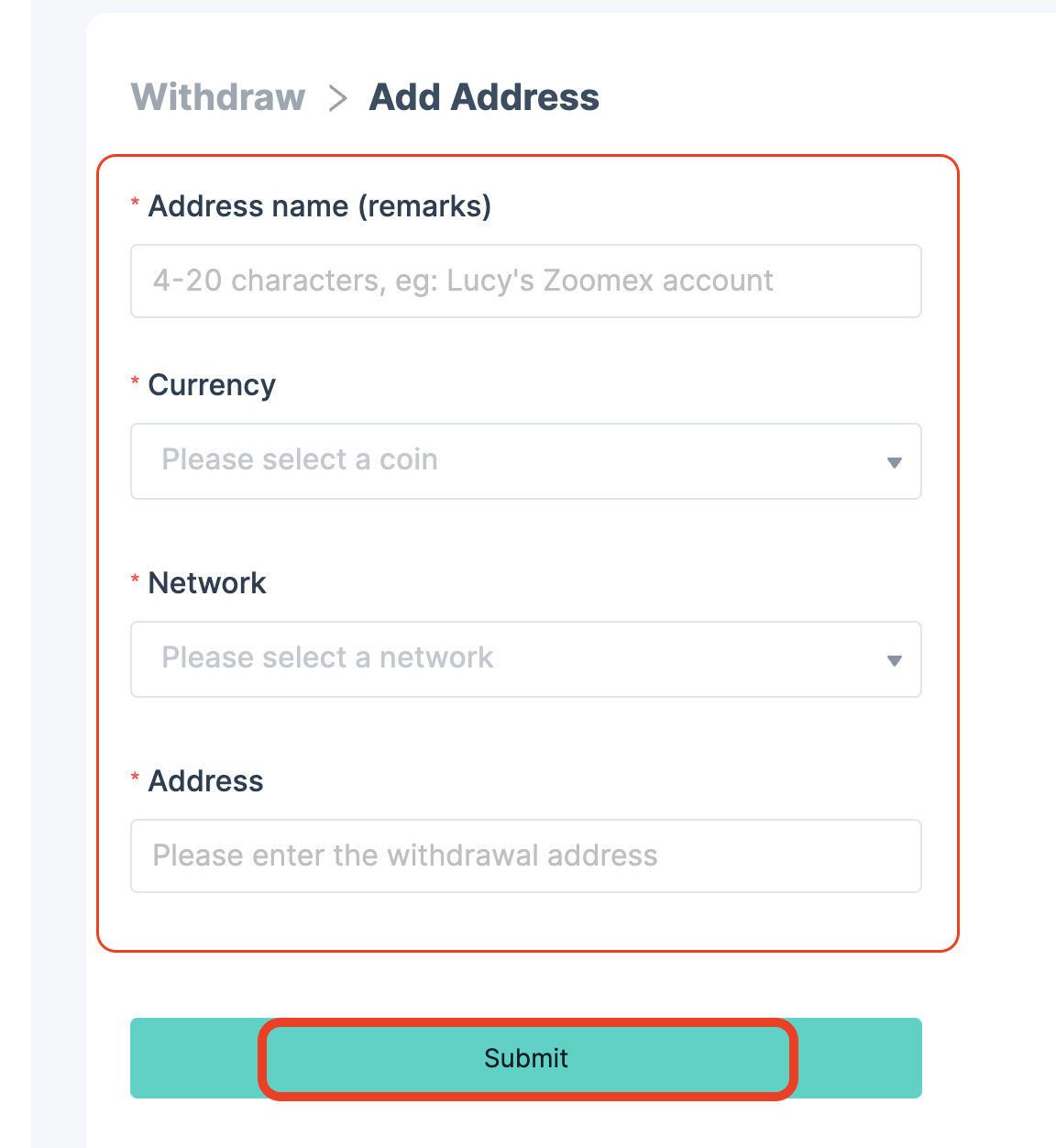
3. Click "Add," input the required information in each field, and click "Submit".

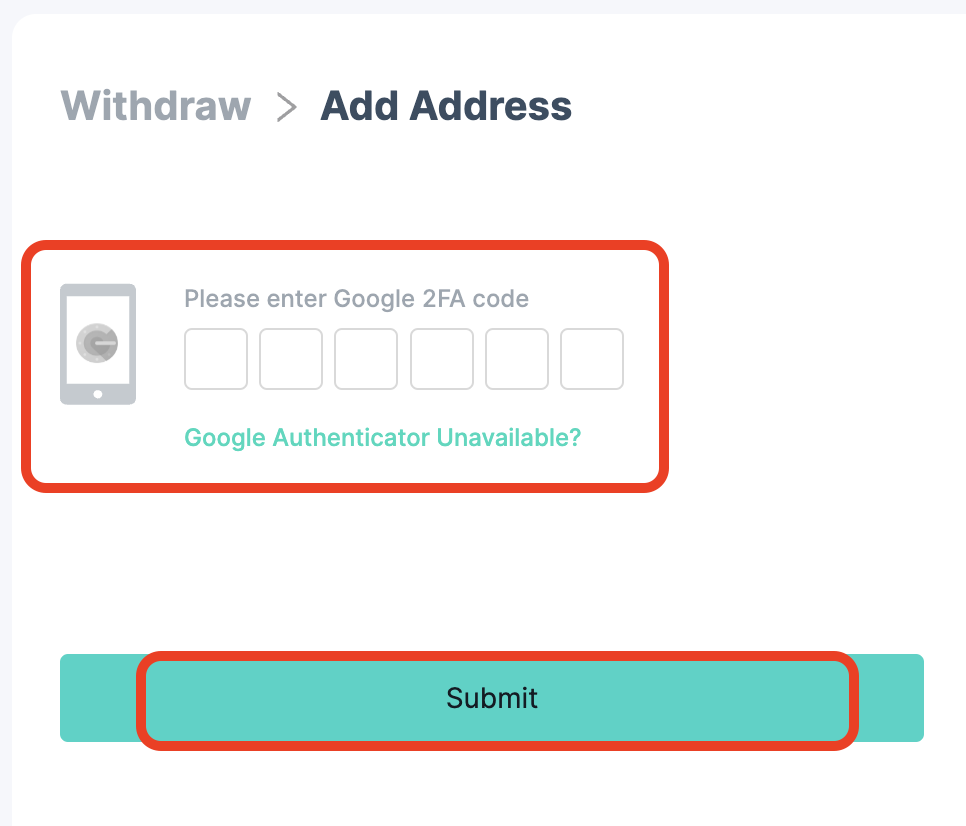
4. Enter the Google authentication code to complete.
2. Deleting Address
1. Click on "Withdraw" on the asset screen.
2. On the withdrawal screen, click "Wallet Address".
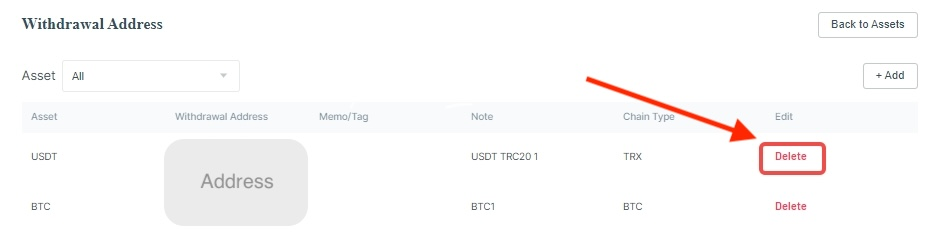
3. On the right side of the new screen, click "Delete," then confirm to remove the existing wallet address.