Quick Trading Functions
In order for traders to execute their strategies more effectively in volatile markets, we've introduced a convenient function that lets them place an order directly on the trading chart. There are three quick methods:
1. Quick Open
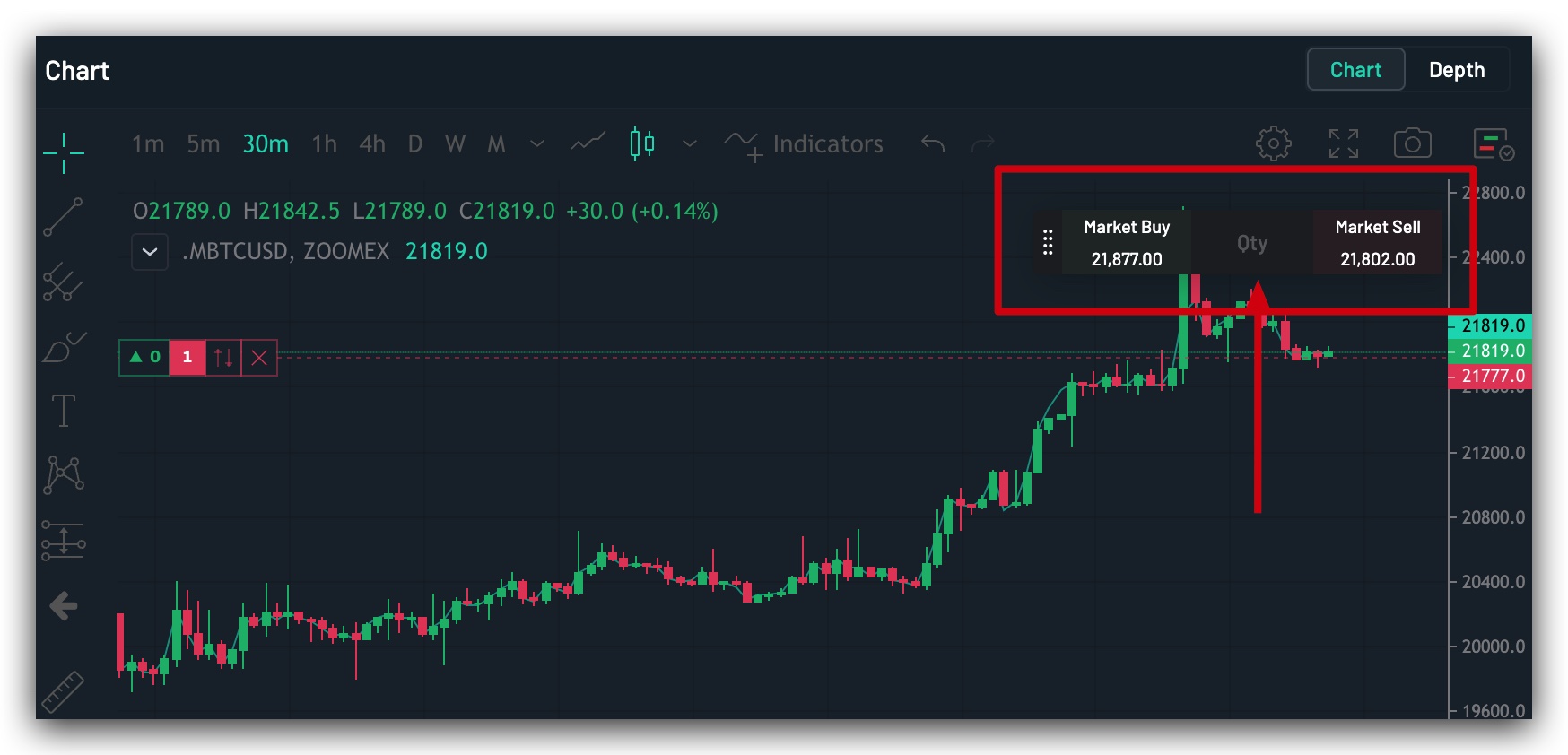
・Market Order
The Quick Open market order is located at the upper right corner of the trading chart. Once traders have preset the quantity of the contracts, they’ll be able to open a buy or sell position using a market order with just one click.
Important Notes:
1. A market order will be executed at the best available price in the order book. However, the actual execution price may differ slightly from the price shown on the quick entry zone.
2. By using quick entry, clicking on Buy or Sell will open a position (or add position size) in the same direction only, and will not close the opposite direction’s positions. If you want to close a position, simply go to the Position tab, the Order Zone, or Quick Close as mentioned below.
2. Quick Close
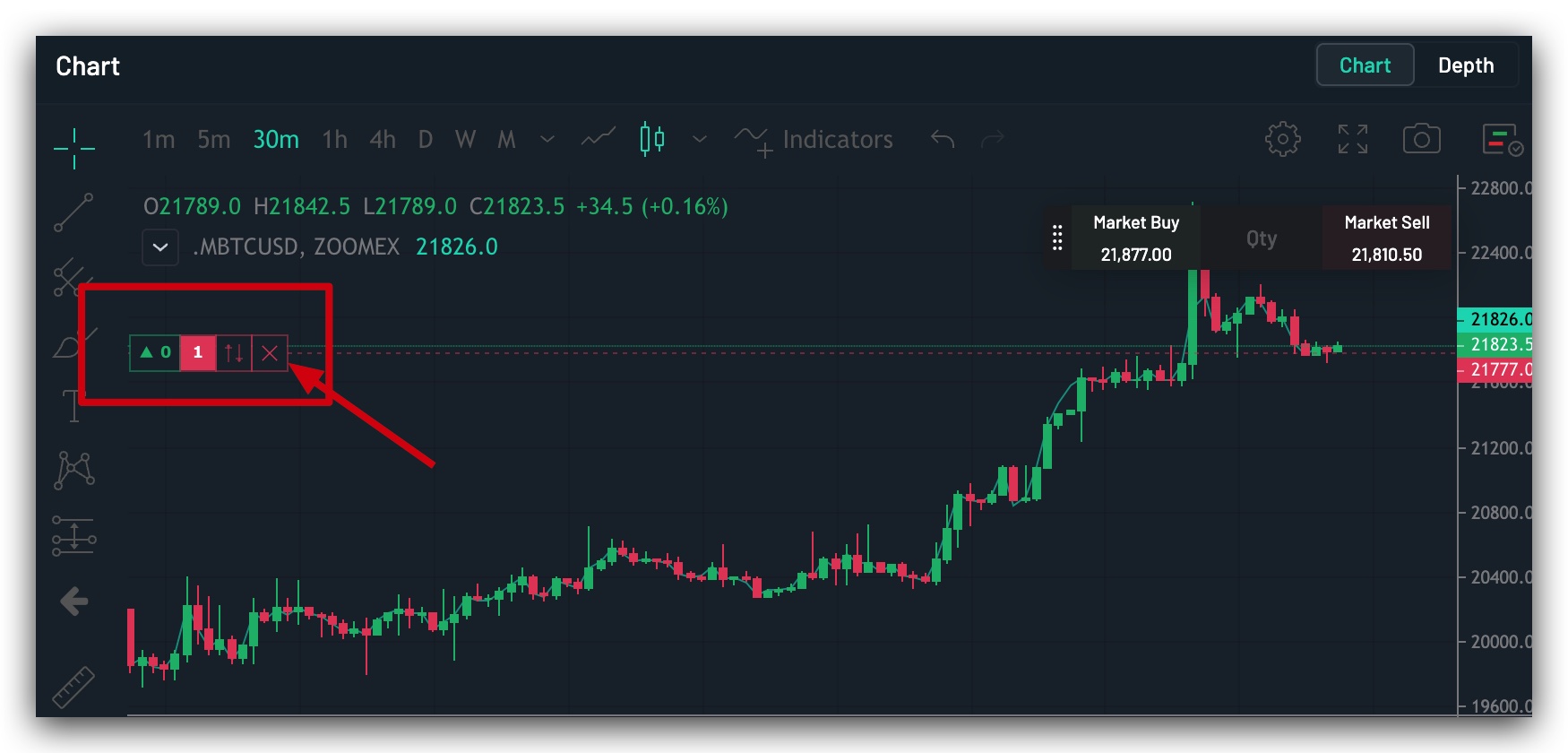
The Quick Close function facilitates an immediate market order to close out a position. On the left side of the trading chart, where a trader's current position is being displayed, the trader can click the X button to immediately close the position at market price.
3. Quick Reversal
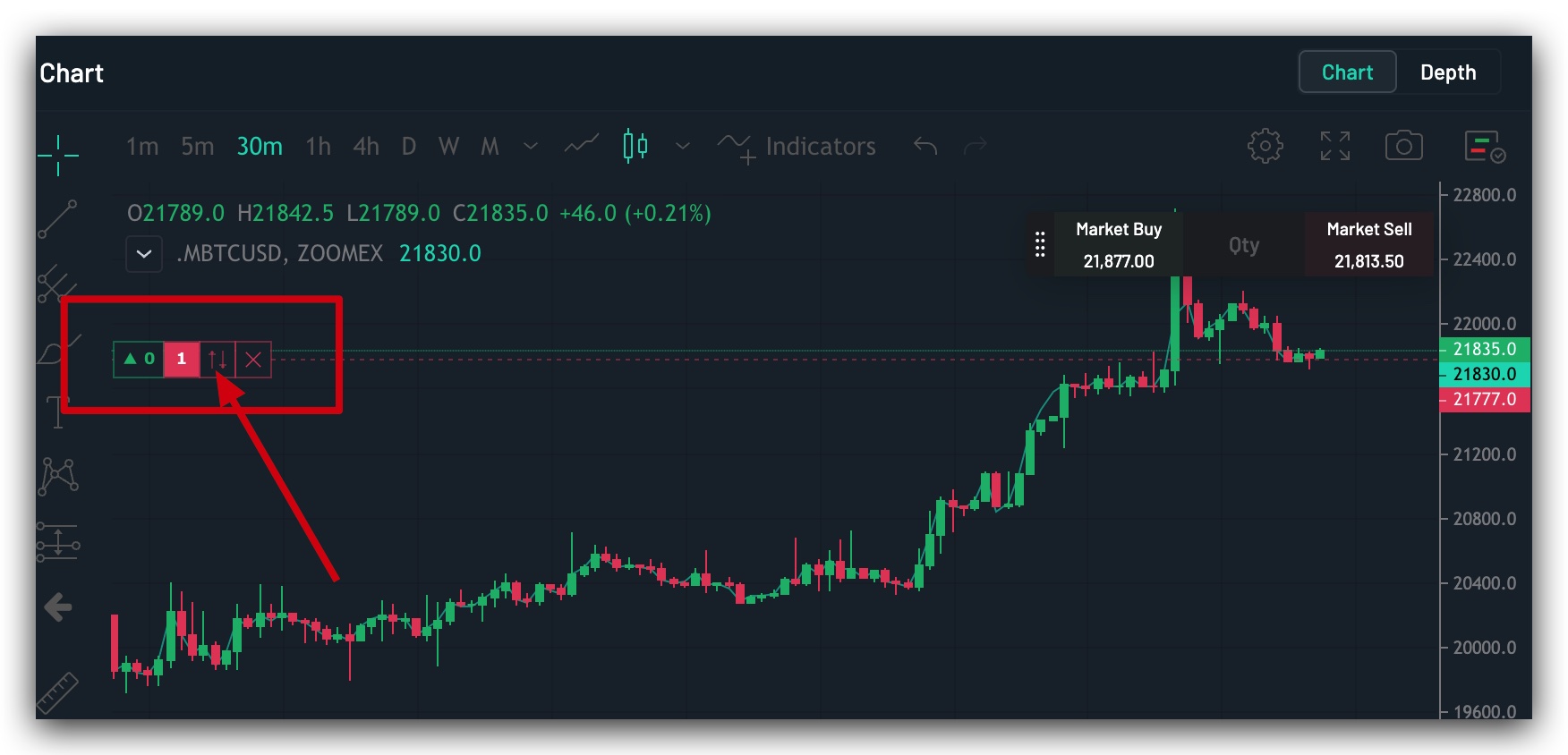
The Quick Reversal function can be found on the left of the ↑↓ button on the chart position display. Traders can click on this button to create a quick reversal position, which is convenient for quickly reversing a position when the market condition changes. With this function, it’s no longer necessary to close an existing position before opening one in the opposite direction.
Example 1:
If the trader currently holds a long position of 0.1 BTC, with no short position:
By clicking on the quick reversal function for the long position, the system will directly submit a 0.2 BTC short market order. This will first close the existing 0.1 BTC long position, and then open a new short 0.1 BTC position in the opposite direction. Once this has been executed, the new short position will be for 0.1 BTC.
Example 2:
If the trader currently holds a long position of 0.2 BTC and a short position of 0.1 BTC:
By clicking on the quick reversal function for the long position, the system will directly submit a 0.4 BTC short market order. This will first close the existing 0.2 BTC long position, and then open an additional short 0.2 BTC position. Once this has been executed, the new short position will be for 0.3 BTC.
Note: The use of the three functions above is limited to a maximum order size per order of every trading pair. If the contract quantity of the order is more than the maximum order size per transaction, only the maximum quantity will be placed. Quick reverse will close the entire position, without opening the opposite position. Traders may refer to Contract Details for the maximum order size of each trading pair.
By default, the order confirmation window for quick trading functions is enabled. Traders can disable the confirmation window from the Preferences setting page.