Here’s a step-by-step guide to help you submit a withdrawal request.
Step 1:
Click the icon in the upper right corner of the homepage navigation bar as indicated by the arrow and select "Withdrawal"
Alternatively, there is a "Withdraw" button in both the Asset Overview and the Funding Account. Click the "Withdraw" button to enter the withdrawal page.
Friendly reminder:
Only the Asset Overview and the Funding Account page have the "Withdraw" button, which can be directed to the withdrawal page. If you want to withdraw the asset from the Trading Account, please kindly transfer asset to the Funding Account first, and then process.
Step 2:
Select the withdrawal method according to your situation. There are two methods that can be chosen.
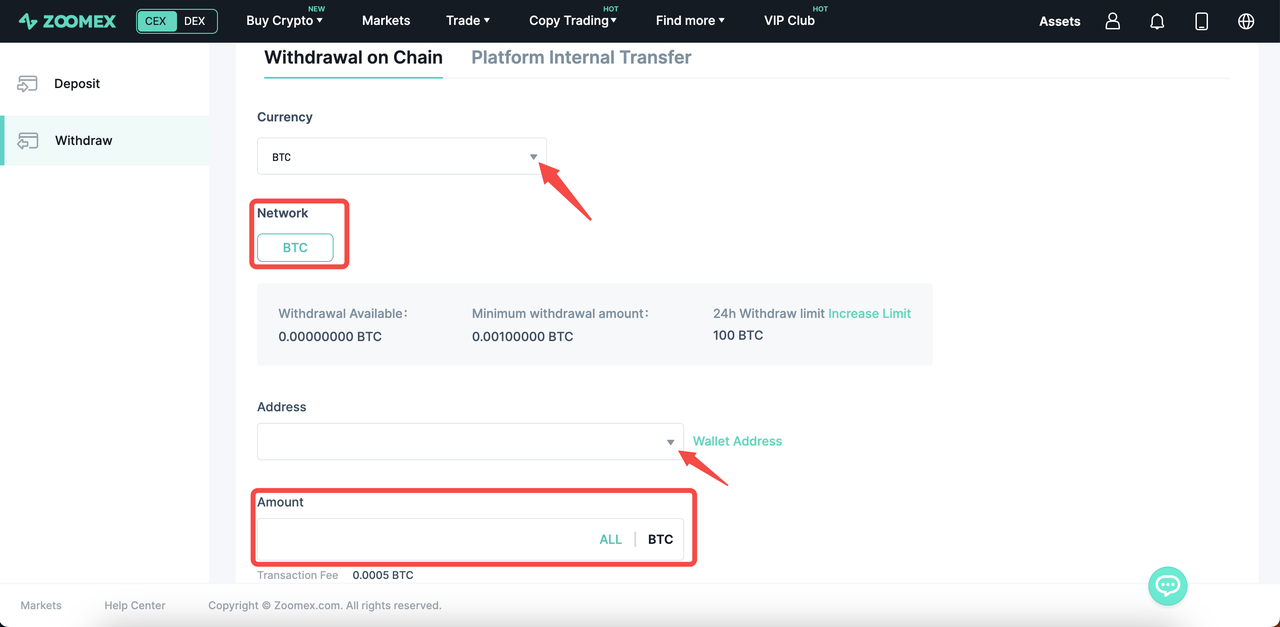
Withdrawal on Chain:
a) You need to fill in the currency, network, address, and withdrawal amount. *NOTE: If you wish to add a wallet address, please click here for more details.
b) After the information is filled in, click the "WITHDRAW" button, and the pop-up window of email verification and Google verification will appear. (If you are experiencing issues receiving emails, please refer to our troubleshooting guide.)
c) After filling in, click the "Submit" button to complete the on-chain withdrawal on Zoomex. The specific arrival time of the on-chain withdrawal depends on the on-chain processing time.
Platform Internal Transfer:
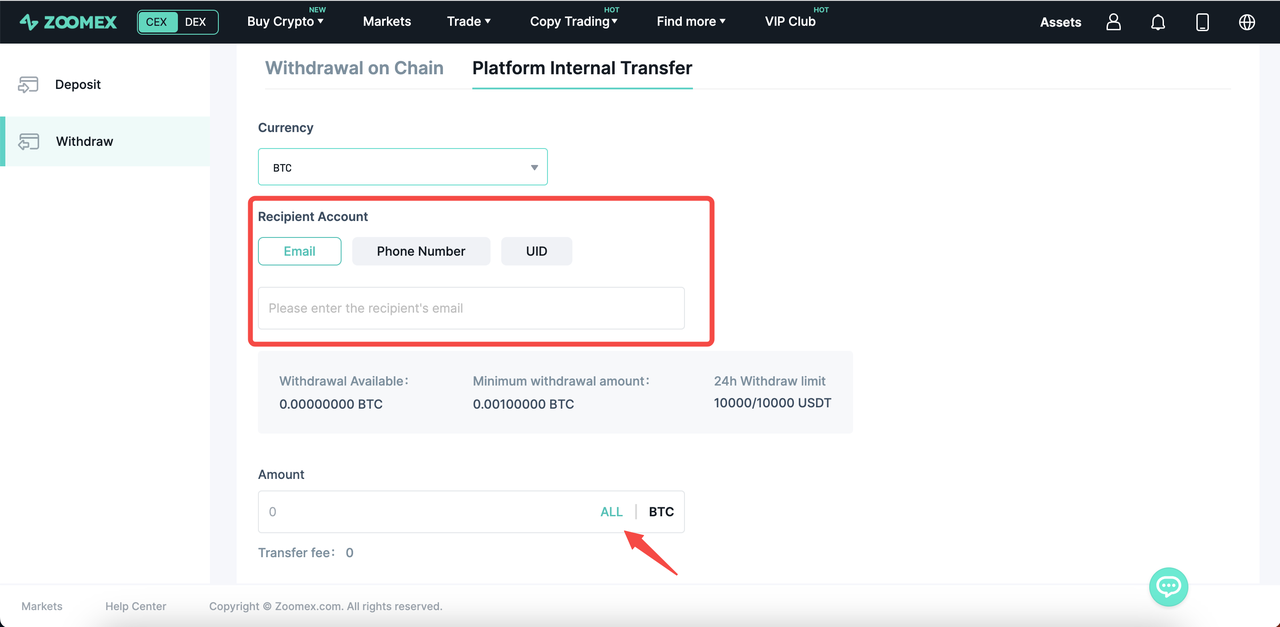
If you would like to transfer to another Zoomex account, you may select Platform Internal Transfer and fill in the email or phone number registered with Zoomex, or use Zoomex UID. There are no handling fees for this process.
Fill in the currency of withdrawal, email/phone number/UID (choose one) of the Recipient Account, withdrawal amount, and note (optional).
After filling in the information, click the "WITHDRAW" button, and the pop-up window of Google verification will appear.
After filling in the verification code, click the "Submit" button to complete the internal transfer of Zoomex.
Step 3: Check withdrawal records
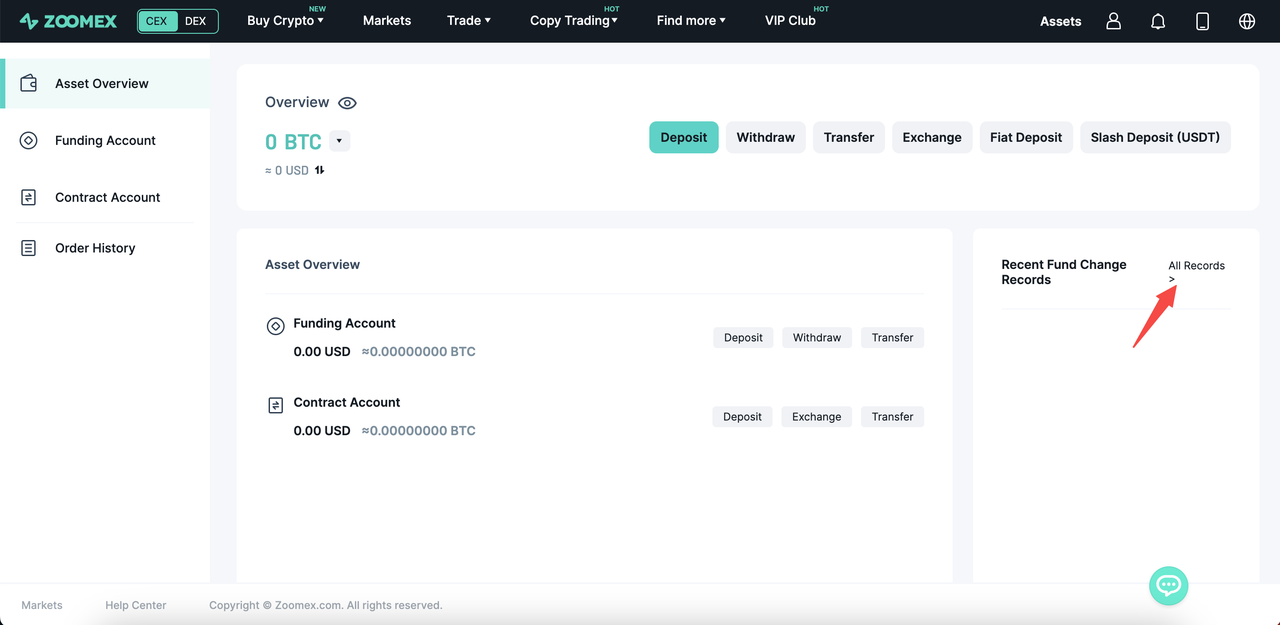
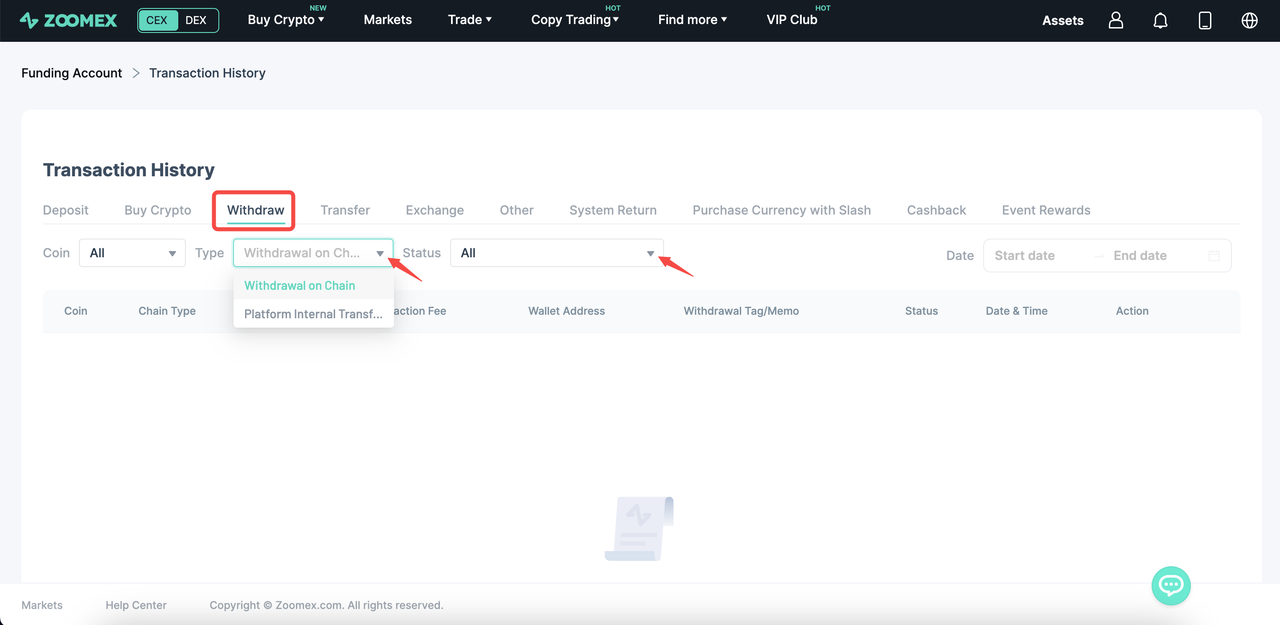
After clicking "All Records" on the asset page, click "Withdraw" on the Transaction page to view the withdrawal record and status, and can select "On-chain withdrawal or Platform Internal Transfer" through "Type".
Thank you for your continued attention and support. Zoomex will continue to provide you with the ultimate trading experience!
If you have any questions, please feel free to contact us at support@zoomex.com